AI agent for Jetbrains (IntelliJ/CLion/Pycharm/...)
Since the newest releases of the Jetbrains AI plugin, you can also use our own models.
- Install the AI plugin if not done yet
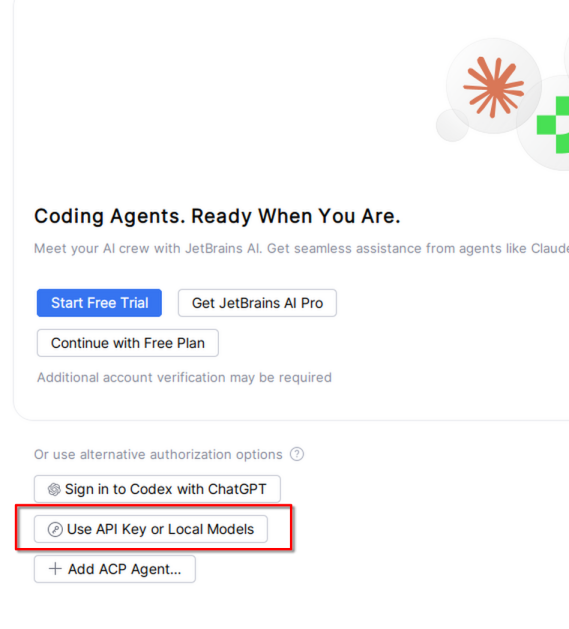
- Click the option to use an API key or local model
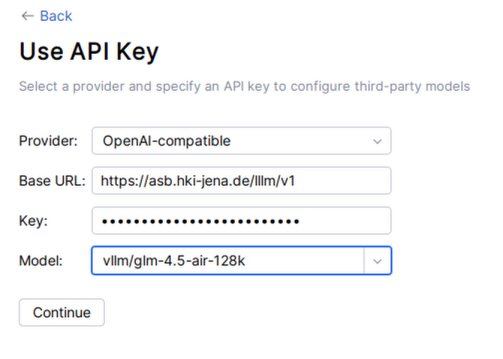
- Set the Provider to OpenAI-compatible
- Set the Base URL to https://asb.hki-jena.de/lllm/v1 (the v1 is important!)
- Insert the key - within HKI you can use
sk-A8D04IxBdQIXz_USnxvXug, otherwise generate your own - Select the model - for example the GLM model