AI API
eWe host a variety of AI services here for everyone to use - all data stays within HKI and you can use as many tokens as you want.
Requirements
You will need an account on the LiteLLM server https://asb.hki-jena.de/lllm/ (Send a mail to ruman.gerst@leibniz-hki.de and request an account)
You will get an invitation link where you then can create your password.
Use the shared key
Please use this key only if you are accessing the API from within HKI: sk-A8D04IxBdQIXz_USnxvXug
Create your own key
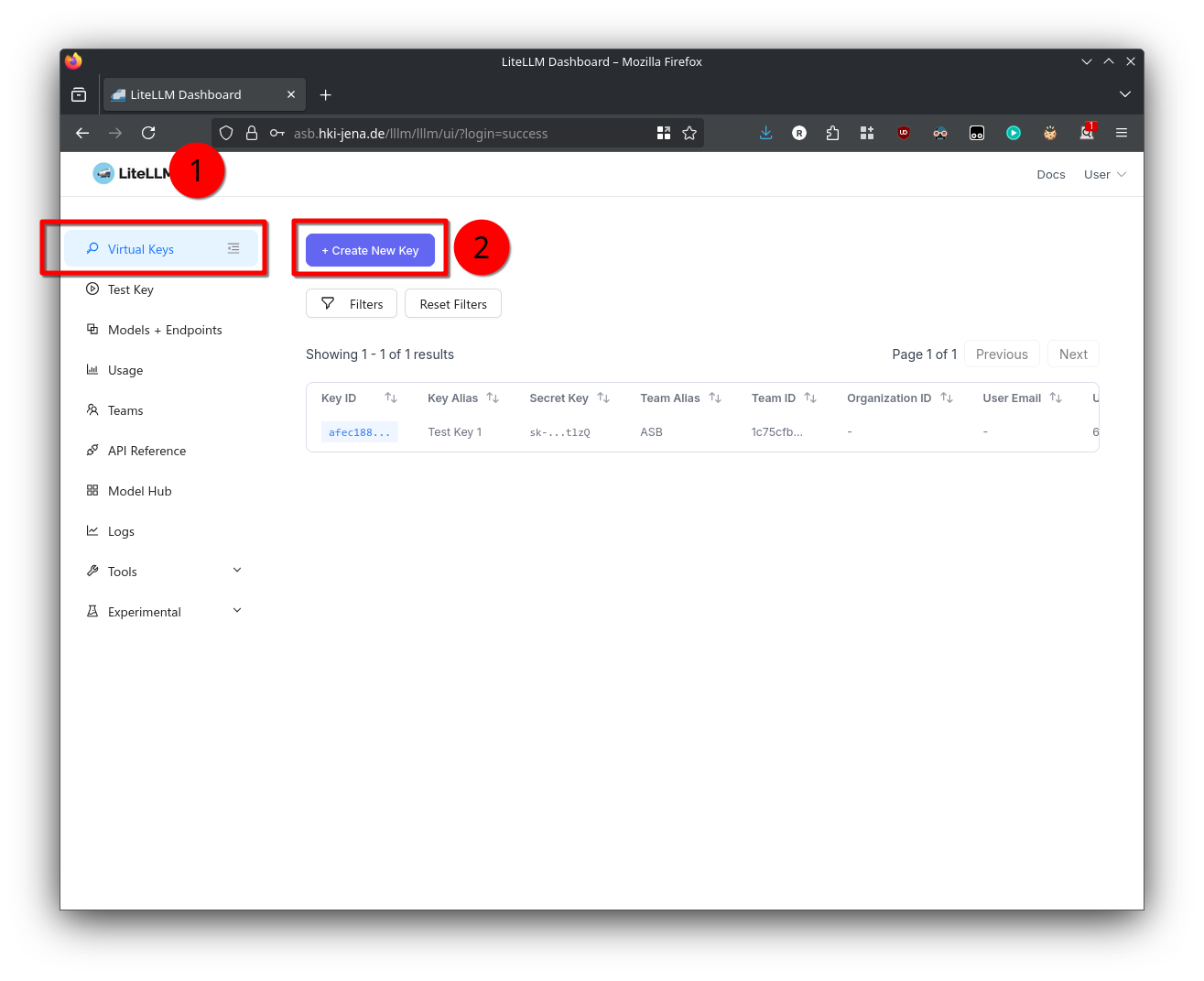
- To access the admin panel visit https://asb.hki-jena.de/lllm/ui
- Go to the Virtual Keys section
- Click the Create New Key button
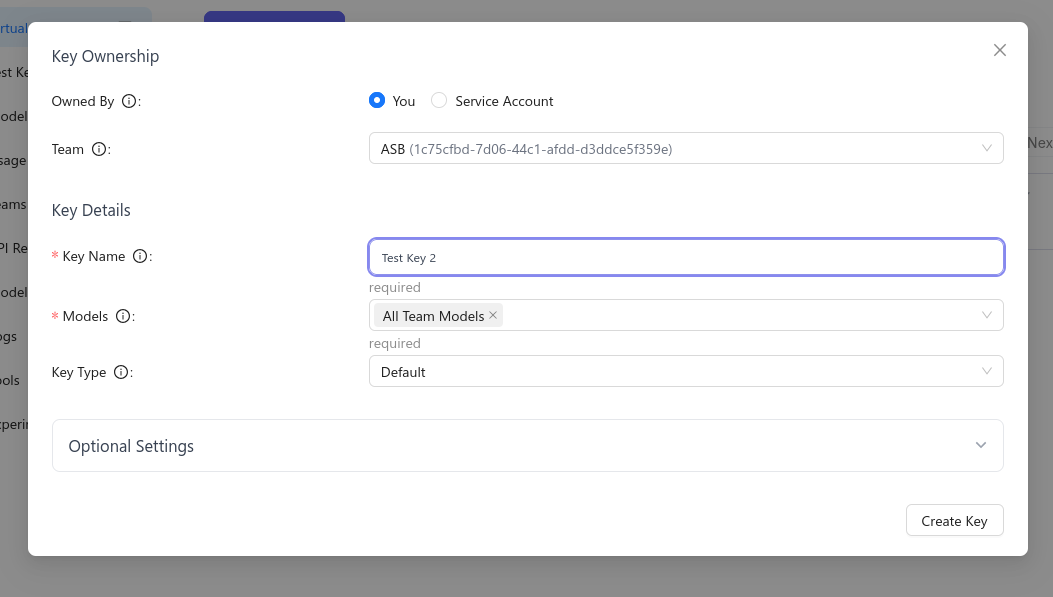
- Set the Team to ASB and select that it should use All Team Models
- Set the key type to API, otherwise the key can control account settings
- Remember the key or copy it into notepad - you will need it to access the API